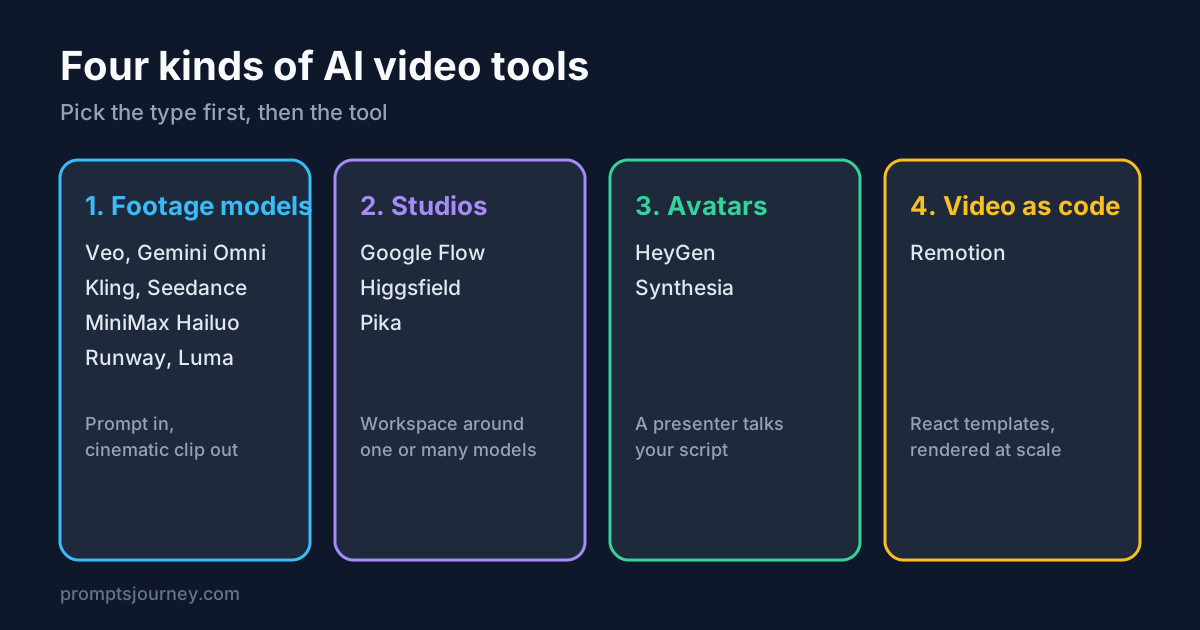
“AI video tool” now means four different things, and most comparison posts mix them up. A model that makes a cinematic shot from a prompt, a presenter that reads your script, and a code framework that renders ten thousand personalised clips solve different problems. This guide groups the main tools, compares them on what each maker says, and adds what other review sites report, clearly labelled.
Checked November 9, 2026. Plans, prices and model names change fast, so follow the links to the maker’s page before you pay. Some links on this site may be affiliate links; see the disclosure in the footer.
The short answer
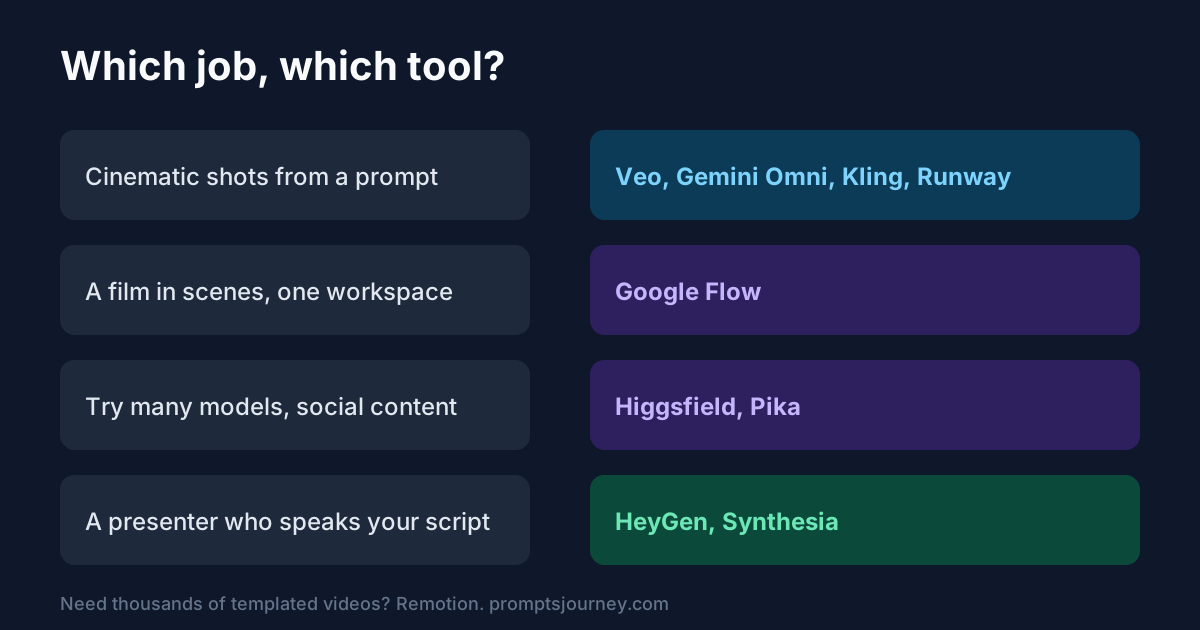
- Best polish from a prompt: Google’s Veo family, now joined by Gemini Omni 1.2 Flash.
- Best for directing a whole film in one workspace: Google Flow.
- Best for trying many models for social content: Higgsfield or Pika, with the credit caveats below.
- Best for a talking presenter and translation: HeyGen (marketing and creators) or Synthesia (training and compliance).
- Best for programmatic video at scale: Remotion.
- Best for editing existing footage: Runway.
Group 1: footage models (prompt in, clip out)
These are the engines. You describe a shot and get a clip. Figures below are from each maker’s own pages, as recorded on our tool pages and the model tracker.
| Tool | Maker says | Clip length and output | Notes |
|---|---|---|---|
| Veo 3.1 | Google’s leading video model, plus a lower-cost Lite tier | 8-second clips at 720p, 1080p or 4K with native audio | In the Gemini app, Flow, YouTube Shorts, Vids, the Gemini API and Vertex AI |
| Gemini Omni 1.2 Flash | Video generation and editing with reference inputs and multi-turn edits | Up to 15 seconds | In the Gemini API, Google Cloud, Flow and Google Vids |
| Kling 3.0 | Kuaishou’s video family | Up to 15 seconds with native audio | Kling 4.0 Flash is in early access |
| Seedance 2.0 | ByteDance’s multimodal model | 4 to 15 seconds with sound | Takes text, image, audio and video inputs together |
| MiniMax H3 (Hailuo) | Aimed at ads and branding | Up to 15 seconds at 2K, stereo sound | |
| Runway Gen-4.5 and Aleph 2.0 | Gen-4.5 for new clips, Aleph 2.0 for editing | Aleph edits clips up to 30 seconds at 1080p | Best known for control and editing |
| Luma Ray3.2 | Directing shots frame by frame with continuity across cuts | See Luma | Luma’s site also lists agents and saved “Skills” |
| FLUX 3 Video (preview) | Black Forest Labs’ video model | Up to 20 seconds with audio | Preview, API access |
OpenAI’s Sora is not on this list: the app and website closed on April 26 and the API models were removed on September 24 (details).
How to choose between them: run the same three prompts (a simple product shot, a person speaking, a camera move) through two models and compare. Our video prompt guide and Omni prompts have ready-made starting points. For a ranked overview, see best AI video generators.
Group 2: studios and aggregators
Google Flow
Google’s own page titles Flow “AI Creative Studio for Video, Images & Custom Tools”. Google’s launch post for Gemini Omni 1.2 Flash lists Flow among the places the model rolls out and mentions “direct scenes and multi-turn edits in Flow”, plus improved multi-character dialogue. Flow also offers Veo 3.1 (Veo page).
What Google’s pages did not state when we checked: Flow’s plans, credit amounts and Flow-specific clip length. Third-party sites such as imagine.art describe Flow as a filmmaking workspace that strings clips into scenes with camera controls and extensions, and several pricing explainers report a free tier with daily credits and paid access through Google AI plans. Those sites disagree on prices, so we do not quote any. Check Google’s plan page.
Pick Flow if you want to build a multi-shot piece in one place and already use Google AI plans.
Higgsfield
Higgsfield calls itself “the generative platform for creative production” and says it combines “35+ frontier models with its own agentic production engine”. Its homepage lists tools such as Shorts Studio (create or recreate short-form videos with your own character and voice), Cinema Studio 4.0, AI Influencer Studio, Genjutsu (reuse a motion with your own characters or products) and an MCP connector for Claude. These are the company’s own claims; we did not test them. The homepage and its pricing page did not show plan prices when we fetched them.
Review sites cover pricing and complaints. A Creatify review and several others report that entry prices differ between sources, that “unlimited” access covers only some models, and that agent or MCP usage can spend credits even on models that are unlimited in the web app. Some Trustpilot reviewers also report queue times and billing disputes. Treat these as reports, not facts we verified.
Pick Higgsfield if you want one subscription to try many models for social and ad content, and you read the credit and refund terms first.
Pika
Pika’s site lists its own Pika H3 Flex, described as “faster-than-realtime”, and also offers other makers’ video models, including Kling 4.0, Seedance 2.5 and MiniMax H3. It adds Video Studio, Motion Transfer, Product Ad and Dynamic Captions, plus an iOS app, an MCP connector and an API. Prices are on a separate page.
Pick Pika if you want quick social-style edits and effects more than long cinematic scenes.
Group 3: avatar and presenter tools
HeyGen
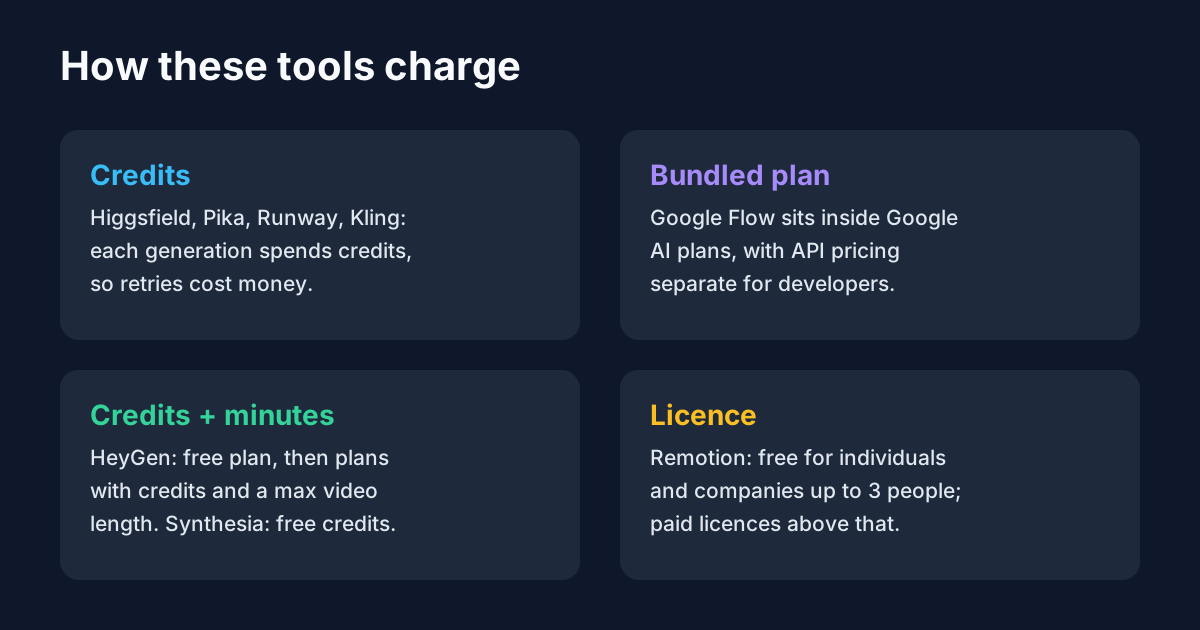
HeyGen says it is for creating videos with AI avatars, voices and translation. Its homepage lists a Video Agent that makes a video from a prompt with editable elements, an AI Studio editor, Avatar V and Avatar IV, video translation with voice cloning and lip-sync, and developer APIs. It claims over 175 languages and dialects. Its pricing page lists a free plan (3 watermarked videos a month, up to 1 minute) and a Creator plan at $29 a month ($24 a month annual) with 600 credits, 1080p export, up to 30 minutes per video and 175+ languages. Pro is $49 a month with 4K export; Business is $149 plus $20 per seat.
Other sites (Creatify, Magic Hour and similar) generally rank HeyGen higher for avatar variety, multilingual translation and ad-style videos, though they disagree on exact avatar counts and ratings.
Synthesia
Synthesia describes itself as an AI video platform for businesses: avatars, voiceovers and motion graphics from a prompt, document or link. It states 140+ languages, “hundreds” of avatars, interactive Sessions and an API, and lists certifications including SOC 2 Type II and ISO 27001. It offers a free Basic plan with 500 credits a month (up to 10 minutes of video, it says). It also claims “Over 2,000,000 users” while a different section says “50,000+ teams”, so read its numbers as marketing.
Review sites mostly place Synthesia ahead for training, e-learning and compliance-sensitive teams.
HeyGen vs Synthesia in one line: HeyGen for marketing, creators and translation; Synthesia for corporate training and governance. Always get consent before making an avatar of a real person.
Group 4: video as code
Remotion
Remotion is a framework for making videos in code. Its site says you can “create videos & motion graphics with React”, through an agent, an interactive Studio or programmatically. It highlights parameterized templates, a Player for embedding video in apps, captions, effect and transition presets, server-side and client-side rendering, and agent skills. It is free for individuals and companies of up to 3 people; larger companies need a Company License. The site lists Remotion for Automators from $100 a month plus $0.01 per render, Remotion for Creators at $25 per seat a month, and Enterprise from $500 a month.
Remotion does not generate footage from a prompt. It assembles video from code, data, images and assets you provide. That makes it strong for personalised or data-driven videos (product explainers, recaps, captions) and weak for “make me a dragon flying through a city”. Many teams combine it with the models above: generate clips and voice, then assemble and caption them with code.
Pick Remotion if you or your team can write React and you need repeatable, branded output at scale.
Side-by-side summary
| Need | Start here | Why |
|---|---|---|
| Cinematic clip from a text prompt | Veo, Gemini Omni, Kling | Native audio, 8 to 15 seconds |
| Multi-shot film in one place | Google Flow | Scene direction and multi-turn edits, per Google |
| Edit existing footage | Runway Aleph 2.0 | Edits clips up to 30 seconds, per Runway |
| Try many models quickly | Higgsfield, Pika | Aggregated models; watch credits |
| Talking presenter, translation | HeyGen | 175+ languages, lip-sync, free plan |
| Training and compliance videos | Synthesia | Certifications listed, 140+ languages |
| Personalised videos at scale | Remotion | Code templates, free for tiny teams |
A simple workflow that combines them
- Write the script and shot list with an assistant. See our reusable prompt templates.
- Make key shots with a footage model, keeping prompts short and specific.
- Add voice or music with ElevenLabs or Suno.
- Assemble and caption in an editor, or in Remotion if you need many versions.
- Label AI-generated content where platforms or laws require it, and never use a real person’s likeness without permission.
Mistakes to avoid
- Comparing different categories. An avatar tool and a footage model are not rivals.
- Judging from the homepage reel. Test your own prompts.
- Ignoring credit maths. Retries cost credits on most platforms.
- Trusting aggregator “unlimited” labels without reading which models and channels they cover.
- Skipping terms on commercial use and cancellation.
Sources
Maker pages: Google Flow, Google’s Gemini Omni 1.2 Flash post, HeyGen and pricing, Higgsfield, Remotion, Synthesia, Luma, Pika. Third-party reports, which we did not verify and which sometimes conflict: imagine.art on Flow, Creatify on Higgsfield, Creatify and Magic Hour on HeyGen vs Synthesia.
Related: best AI video generators, Veo vs Kling, Runway vs Veo, best image-to-video tools.